

AI integration means adding an AI feature to a website, app or internal tool that people already use. It is not a new product and it is not a chatbot placed on the home page for its own sake. It is one task, done inside existing software, with AI doing part of the work.
Many businesses feel they ought to be "using AI" without a clear idea of what for. This guide explains where an AI feature tends to earn its place, where it does not, and what to decide before paying anyone to build one. We build these features for clients, so read it as a supplier's honest view, including the cases where our advice would be not to build.
What AI integration looks like in practice
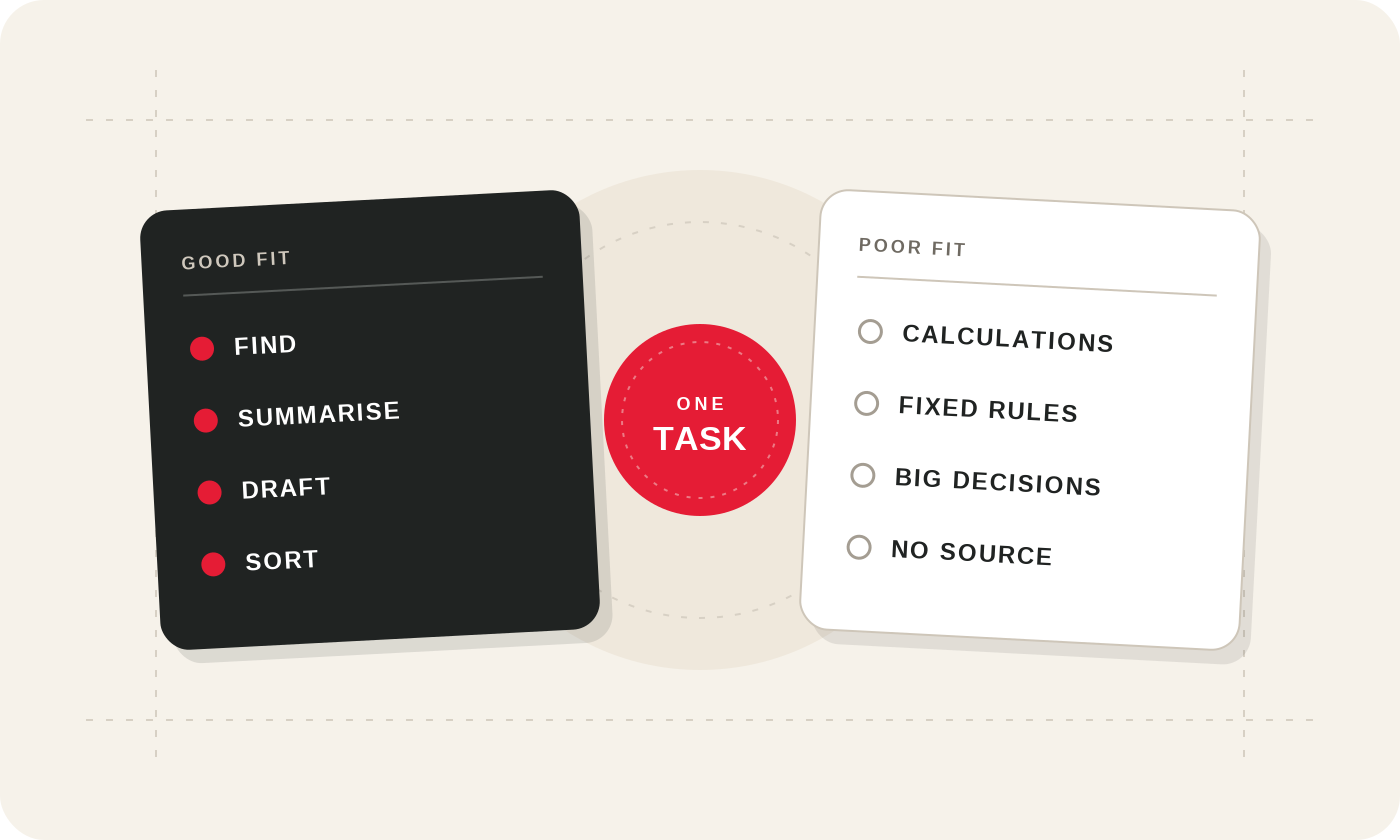
Most useful AI features do one of four things with language:
Find: answer a question from a body of documents, such as policies, manuals or past tickets.
Summarise: turn a long document, call note or thread into the points that matter.
Draft: prepare a first version of a reply, description or report for a person to finish.
Sort: read incoming messages or forms and label, route or extract details from them.
Each of these sits inside something people already open every day: a support inbox, an admin panel, a customer portal. The feature is one button or one panel, not a separate system.
Where it helps
An AI feature is worth considering when most of these are true.
The task is frequent. A job done fifty times a week repays the work. A job done twice a year does not.
The work is reading or writing. Searching documents, condensing text and drafting replies are what current AI models do well.
A good answer can be recognised. If your team can look at a result and say whether it is right, the feature can be tested. If nobody can agree what "right" means, it cannot.
A person checks the result. A draft that someone reads before sending is low risk. The same text sent automatically is not.
A mistake is cheap to correct. A weak summary costs a minute. A wrong figure in a contract costs far more.
Where it does not
Being clear about the poor fits saves the most money.
Exact calculations and fixed rules. Prices, tax, stock levels and eligibility rules should be handled by ordinary software, which gives the same answer every time. AI models can give different answers to the same question.
Decisions with serious consequences. Approving credit, rejecting an applicant or giving medical or legal conclusions should not be left to an AI feature. It can prepare information for the person who decides.
Tasks with no reliable source. An AI feature that answers from your documents is only as good as those documents. If they are out of date or contradict each other, the answers will be too.
Problems that are really process problems. If enquiries go unanswered because nobody owns them, a drafting tool will not fix that.
Work that a simple rule already handles. "If the form says billing, send it to accounts" needs no AI. Our guide to choosing a first business task to automate explains how to tell the two apart.
AI makes mistakes, so plan for them
An AI model can produce an answer that reads well and is wrong. This is a property of the technology, not a fault that a better supplier removes. Giving the model your own documents to work from reduces the problem. It does not end it.
A sound integration is designed around that fact:
Show the source. Where an answer comes from a document, link to it so the reader can check.
Keep a person in the loop for anything a customer will see or act on.
Allow "I do not know". A feature that admits it has no answer is more useful than one that always produces something.
Decide the fallback. Agree what happens when the AI service is slow, unavailable or unsure.
Be cautious of anyone who promises an AI feature that is always accurate.
A hypothetical example
Consider a hypothetical equipment supplier whose support team answers the same product questions every day, using manuals stored as PDF files.
A poor first project would be a public chatbot that answers customers directly on any subject. Mistakes would reach customers unchecked, and the scope has no edge.
A better first project is a panel inside the support inbox. When a question arrives, it finds the relevant manual pages and drafts a reply with links to them. The support agent reads, corrects and sends.
The second version covers one task, uses approved documents, keeps a person responsible and can be measured: did agents use the drafts, and how much did they change them? If it works, the next step can be considered with evidence in hand.
What to settle before building
Five questions decide most of the cost and risk.
Which single task? Describe it in one sentence, with a clear start and end.
What does a good result look like? Collect twenty or thirty real examples with the answer you would want. These become the test.
Which information may it use? List the documents or records, and who keeps them current.
May that information leave your systems? Most AI features send text to an outside provider. Check your contracts, your privacy commitments and any rules in your sector before sending customer or personal data.
Who reviews the output, at launch and afterwards?
The costs to expect
An AI feature has two kinds of cost, and the second is often overlooked.
Building it: connecting to the AI provider, preparing your documents, designing the screen, and testing against your examples. Testing usually takes longer than people expect.
Running it: AI providers generally charge by usage, so cost rises with the number of requests and the amount of text in each. There is also the time someone spends reviewing results and keeping the source documents up to date.
Ask for an estimate of running cost at your expected volume before the build starts. A feature that is cheap in a trial can become expensive when the whole company uses it.
Start with a small trial
You do not need to commit to a full system to find out whether AI suits a task. A short trial can answer the question:
Choose one task and gather the examples.
Build a small working version, used by a few people.
Compare its results with the examples and note the errors.
Measure the time saved against the running cost.
Decide whether to improve it, extend it or stop.
Stopping is a legitimate result. Learning in a few weeks that a task is a poor fit costs far less than learning it after a full build. Our AI development and integration service follows this approach.
FAQ• Frequently Asked Questions
What is AI integration?
Adding an AI feature, such as document search, summarising or reply drafting, to a website, app or internal tool that a business already uses. The feature supports one defined task instead of replacing the whole system.
Do we need our own AI model?
Almost never. Most business features use a model supplied by an established AI provider and give it your approved documents to work from. Training a model of your own is rarely necessary for the tasks described here.
Is our data safe when we use an AI provider?
It depends on the provider's terms and on what you send. Before building, confirm how the provider stores and uses submitted text, and whether your contracts and privacy commitments allow it. Sensitive information needs an agreed handling plan.
Can an AI feature replace staff?
For the tasks in this guide, it works better as an aid. It prepares drafts, finds information and sorts requests, while people check the results and handle anything unusual. Plan around time saved on a task, not roles removed.
How long does a first AI feature take?
It depends on the task, the state of your documents and how much testing is needed. A narrow trial is much quicker than a full feature, which is one reason to begin with one.