

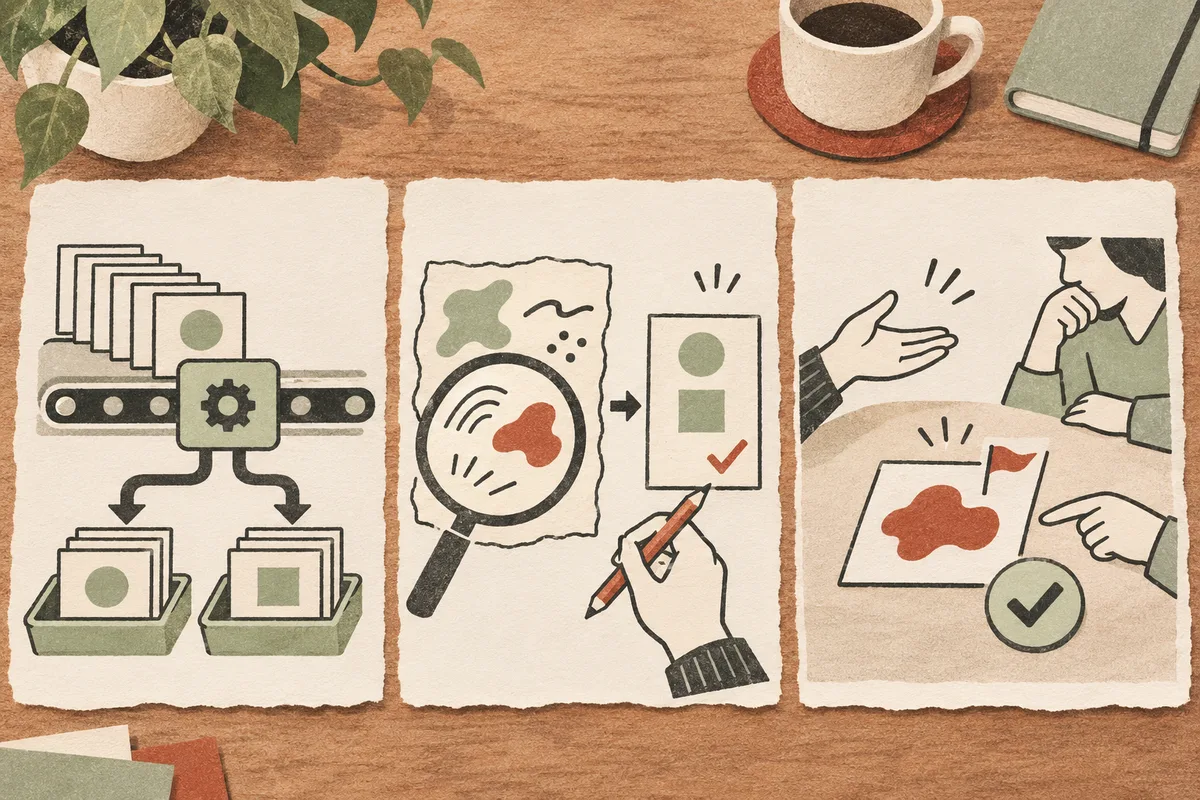
An enquiry arrives. Someone copies the details into a customer record, chooses who should handle it and sends an internal message. Later, somebody checks whether anyone replied.
Each step is small. Together, they keep interrupting the day. This is the kind of work worth examining when you want automation to earn its place in the business.
Start with a job people already do and understand. Find out how often it happens, what a good result looks like and what would happen if it went wrong. Those answers will tell you more than a list of popular tools.
Look for the task that keeps coming back
Ask the people doing the work to record three repetitive jobs over a normal week. Include the little jobs they rarely mention: moving attachments, checking for missing fields, preparing the same update or chasing an internal handoff.
For each one, note the number of times it happens and the hands-on minutes involved. Keep waiting time separate. A request sitting in an inbox for two days may be a serious service problem, but it is not two days of staff effort.
Also record the interruptions around the task. Copying a record might take two minutes; finding the right conversation and checking whether someone already created it could take longer.
You are looking for a useful pattern, not a perfect timesheet. If the week was unusually quiet or busy, say so. A rare, complicated job may deserve improvement, but a frequent, predictable task is often easier to assess as a first automation.
Give the task a clear beginning and end
“Automate our sales process” leaves too much open. “When a completed enquiry form arrives, create one customer record and assign it using the selected service” is something a team can examine.
Write down what starts the work, which information it uses and where the finished result belongs. Then describe the exceptions. What if an email address is missing, the customer already exists or the assigned person is away?
Before building anything, check what your existing software already supports. A form integration, saved template or reminder setting may cover the task. Microsoft's automation planning guidance recommends focusing on straightforward, repeatable work and considering existing tools before a custom implementation.
If the team disagrees about the right result, resolve that first. Automating an unclear process makes the disagreement repeat faster.
Decide which part needs AI
A routine connection between tools can often follow explicit rules. A form's selected service determines the recipient. A due date determines when an internal reminder appears. An approved status determines whether a document moves to the next stage.
These jobs have a known sequence. They can start with an event, a schedule or a button; Microsoft's guide to automation triggers describes those common starting points.
AI becomes more relevant when the input needs interpretation. An enquiry written in several paragraphs may need a suggested category. A long document may need a draft summary. A customer question may need a proposed reply drawn from approved information.
Keep the suggestion easy to check. Show the original enquiry beside the proposed fields. Link a summary back to its source. Leave missing information visibly missing instead of asking the system to guess.
An AI agent that chooses its own steps is a further decision. Anthropic's guidance on workflows and agents explains the distinction and recommends increasing complexity only when it helps the task. You can use a small AI step inside an otherwise predictable workflow without handing over the whole process.
For a first project, make consequential decisions explicit. Drafting a reply and sending a binding commitment are different actions. Name the person who reviews and approves the latter.
Count the work that remains
Measure the time people still spend checking, correcting and maintaining the automation. A fast system can still create a slow working day if every result needs rewriting.
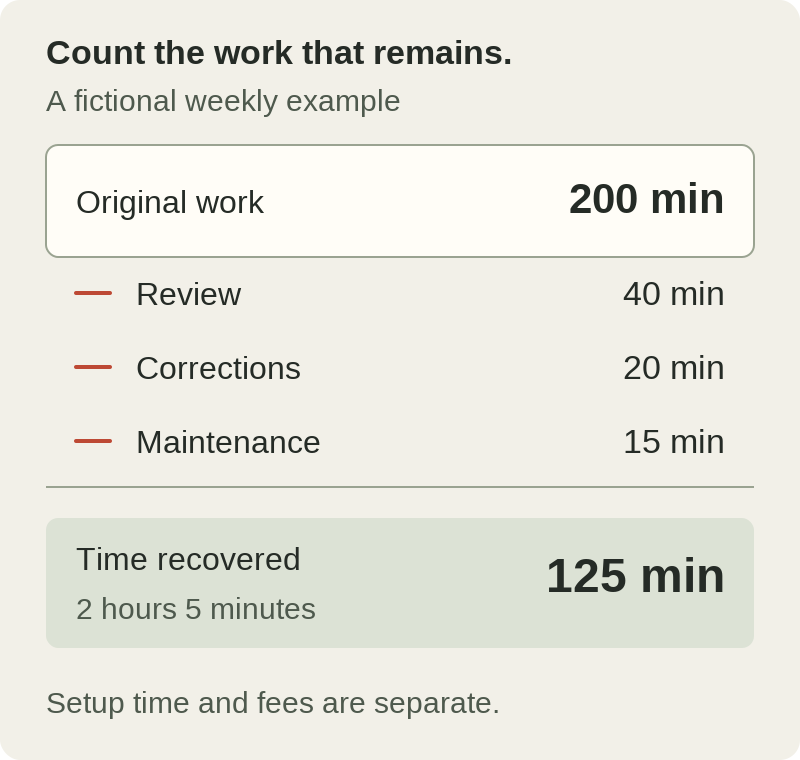
Consider this fictional planning example. A service business handles 40 enquiries each week. Copying and assigning each one takes five minutes, so the current work uses 200 minutes a week.
The team tries an automation that creates a CRM draft from the enquiry form and suggests an owner. During the pilot, a coordinator reviews every draft.
Review: 40 drafts at one minute each takes 40 minutes.
Corrections: sorting out incomplete or unusual records takes 20 minutes.
Maintenance: checking failed runs and keeping the connection working takes 15 minutes.
That leaves 75 minutes of weekly work. The net saving is 200 − 40 − 20 − 15 = 125 minutes, or two hours and five minutes a week.
Suppose setup and testing took six hours. At that same volume and performance, recovering the setup time would take roughly three weeks. A quieter month or more corrections would change the calculation.
This is a time comparison, not financial return on investment. Keep subscription and usage fees separate, and decide what the recovered time is worth to the business. Having two hours available does not automatically reduce a bill or produce another sale.
The example also shows why the technology choice matters. If the form already contains reliable fields, ordinary rules may be enough. AI has a more specific job when those details need to be extracted from varied free-text messages.
Compare your candidates on one page
Save the first automation worksheet, or copy these prompts into a document and complete them for each task. Use observations where you have them and mark estimates clearly.
Task and owner: What happens today, and who understands it well enough to check a result?
Start and finish: What triggers the task, and where does useful output belong?
Volume and effort: How often does it happen, and how many hands-on minutes does it take?
Inputs and rules: Is the information available, consistent and permitted for this use? Are the rules agreed?
Exceptions: What commonly arrives incomplete, duplicated or different from the usual case?
Mistakes: Who would be affected by a wrong result, and how could it be corrected?
Remaining work: What review, correction and maintenance would people still do?
Tools and ownership: Can existing software help? Who owns the accounts, connection and ongoing fees?
Pilot decision: What result would justify keeping it, and what would make you pause?
Choose a candidate with worthwhile repeat volume, an understandable result and manageable consequences. Set aside tasks with unresolved access, unreliable source information or no available reviewer until those gaps are addressed.
Avoid adding the answers into an impressive-looking score. A serious consequence cannot be cancelled out by a high frequency. The worksheet should make the decision clearer, including when the sensible answer is to simplify the manual process first.
Run a small trial people can inspect
Give the pilot one task, a named owner and a review date. Use a limited set of appropriate records before allowing it to act on normal business work. Include the cases that usually cause trouble, not just tidy examples.
Try a missing field, a duplicate submission and an unavailable destination. Make sure somebody sees failures and can recover the unfinished work. A green completion message is not enough if the record never reached the person who needs it.
For AI-assisted tasks, compare suggestions with the original information. Track the types of correction as well as their frequency. Repeatedly fixing the same missing detail may point to a better form or clearer source material.
Put the result where staff already work. A draft in the existing customer record is easier to use than a separate dashboard they must remember to visit. Agree who can pause the automation and how the task continues manually during an outage.

Keep it only if the working day improves
At the review, compare the same kind of work before and after. Count completed tasks, failures, staff effort and the quality of the result. Microsoft's performance guidance describes monitoring successful and failed runs and errors. Your review also needs the human effort those system measures cannot capture on their own.
Ask the people using it what they still have to chase. If the pilot saves copying time but creates another daily checking job, include that in the result.
You can keep the useful part, simplify a step or stop the trial. Expand when the evidence supports it and someone is ready to own the additional work.
If the difficulty is a wider set of disconnected records and responsibilities, our guide to custom web applications versus spreadsheets explores that larger decision. For a focused first task, share the current process with us. Bring a few representative examples and the worksheet; we can help work out where automation would be useful.